

The DB Schema tool allows you to design and manage your database structure directly from the CMS.
Using this tool, you can define database tables, columns, relationships, and behaviors without writing SQL migrations or backend code.
Changes made in DB Schema are first saved as definitions, and are only applied to the database when you explicitly choose to apply them.
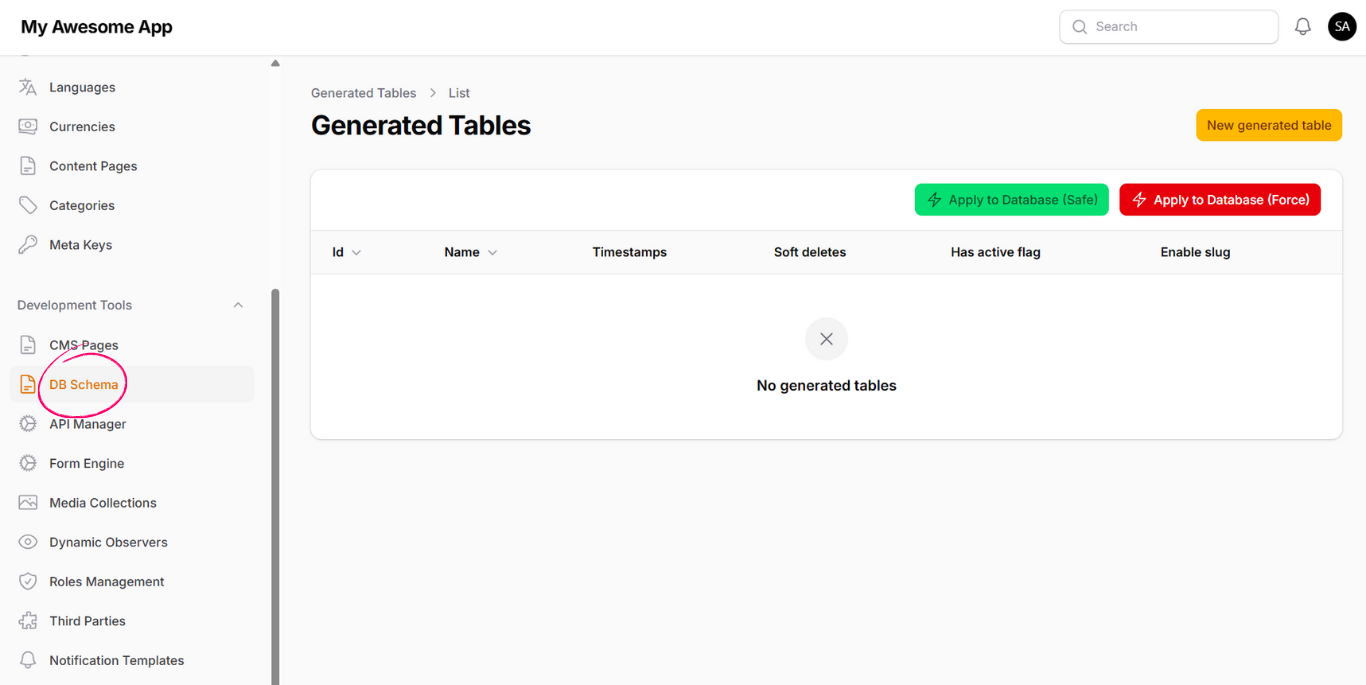
To create a new database table:
- Open DB Schema from the left-side navigation.
- Click on New Generated Table.
- Fill in the table configuration fields.
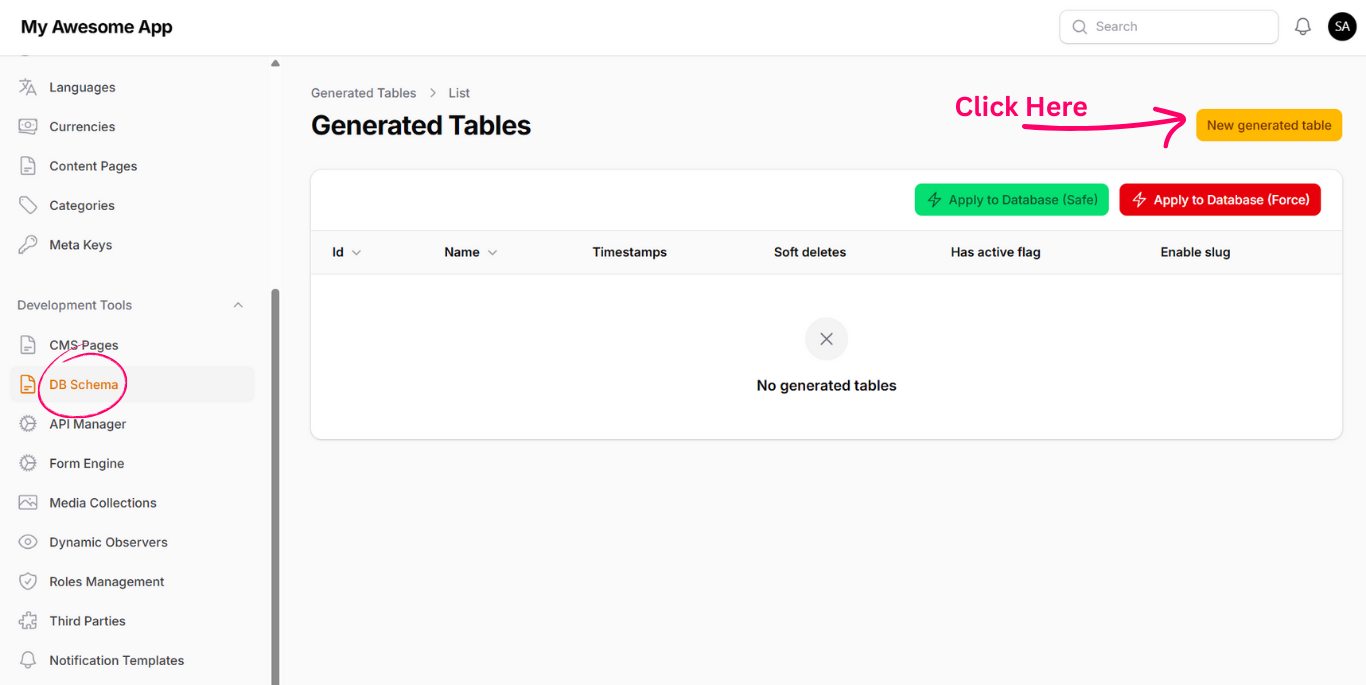
-
1. Table Name
The name of the table. Must not contain spaces or special characters. -
2. Timestamps
When enabled,created_atandupdated_atcolumns will be added. -
3. Soft Deletes
When enabled, adeleted_atcolumn is added and soft delete behavior is applied to the model. -
4. Has Active Flag
When enabled, anis_activecolumn is added. APIs will return only active records by default. -
5. Enable Slugging & Slug Source Field
Available on edit mode. When enabled, aslugfield is added and automatically generated from the selected source field.
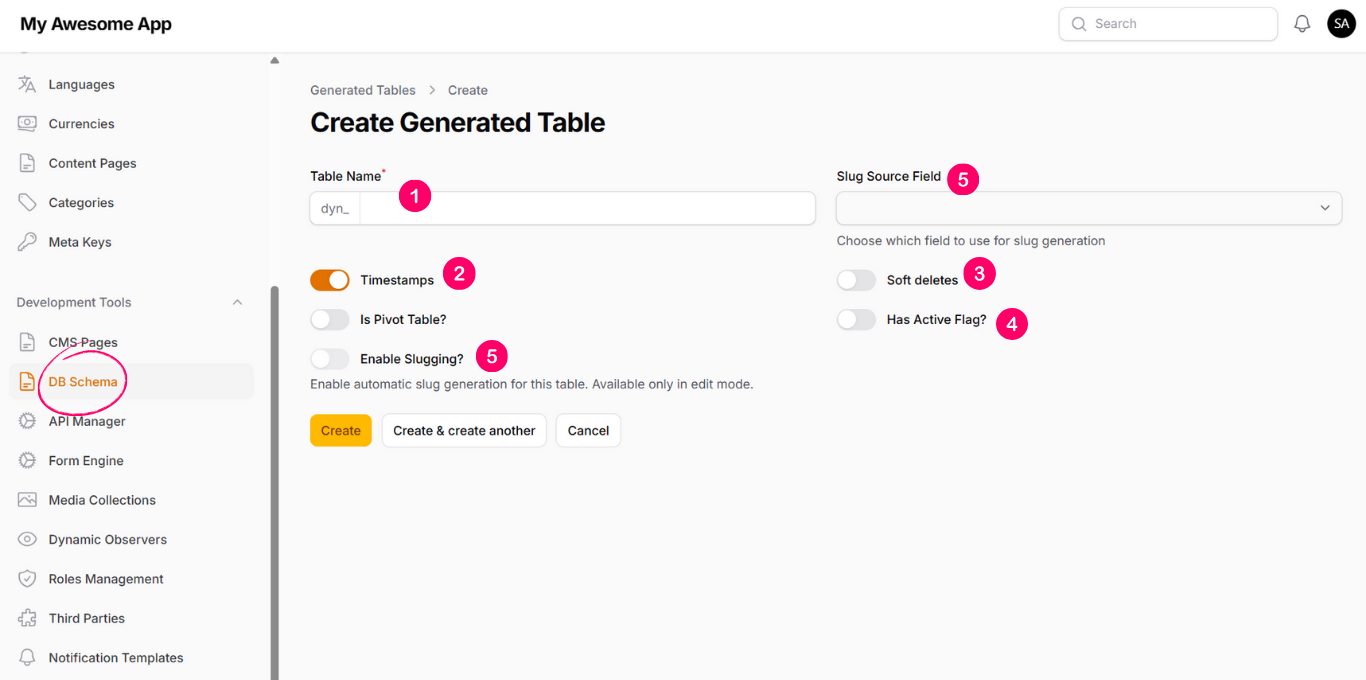
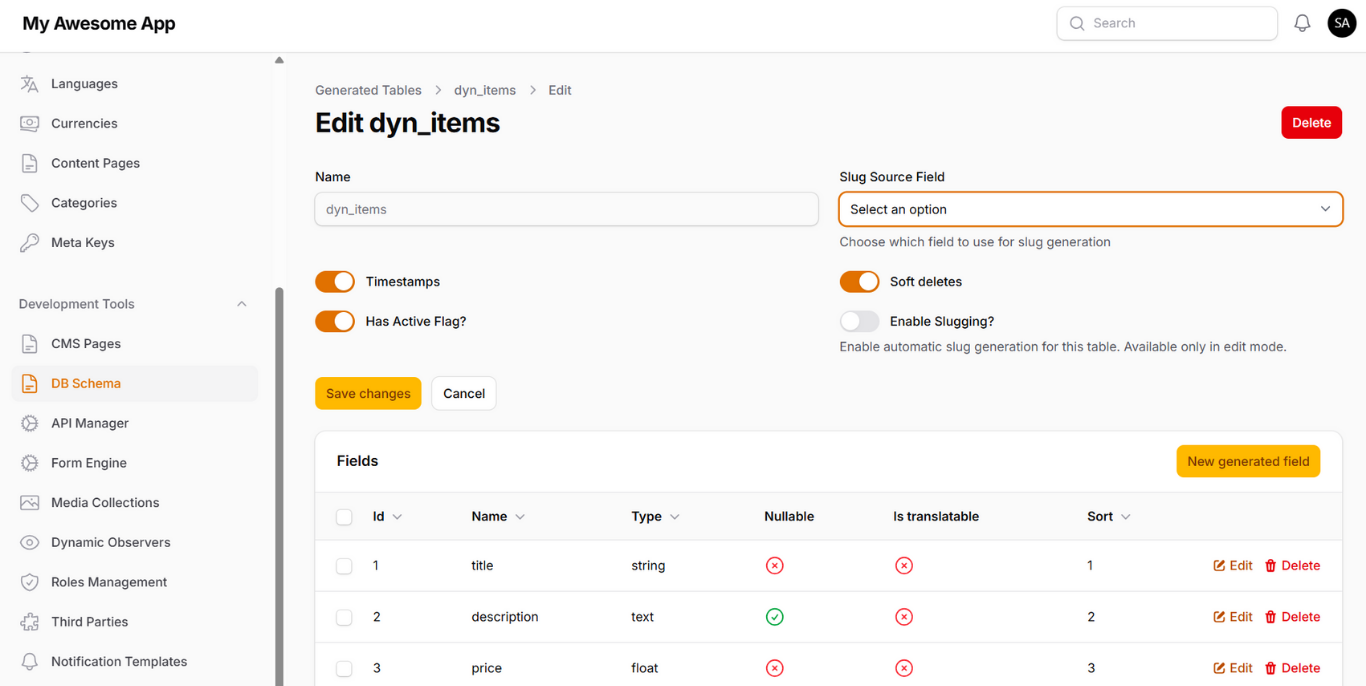
After creating the table, you will be redirected to the table edit page, where you can manage its fields.
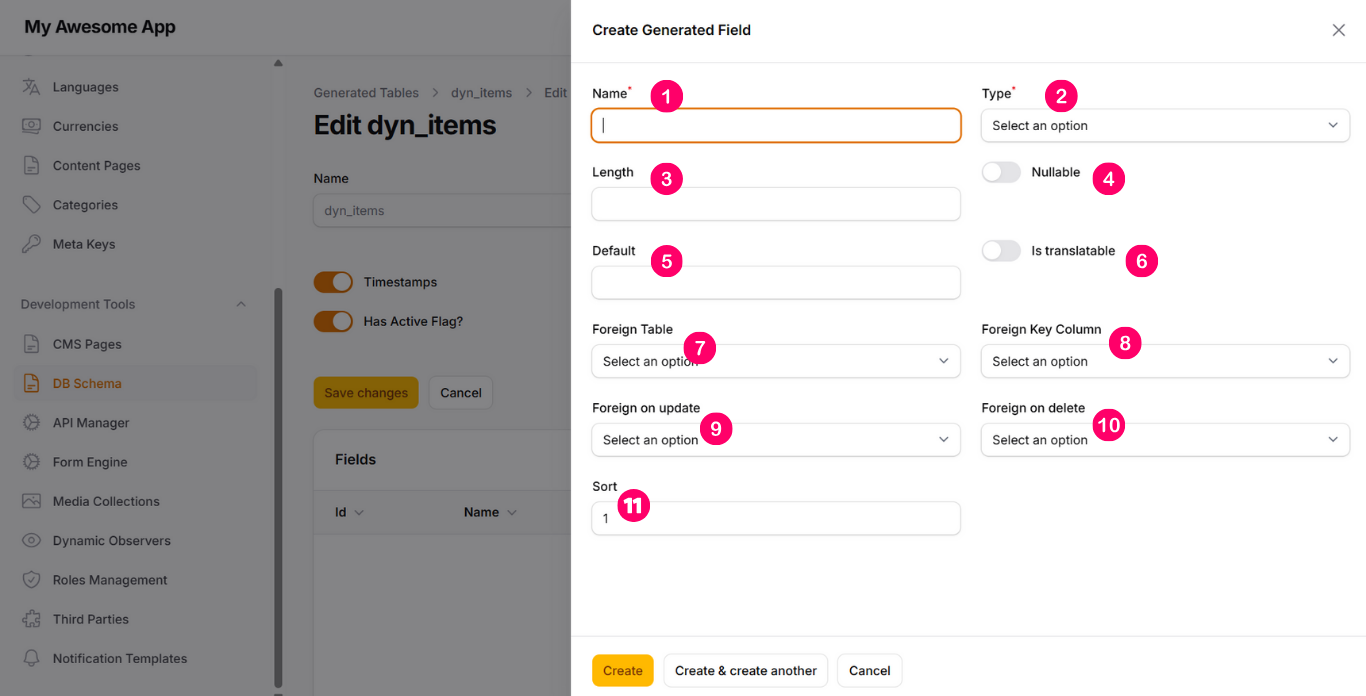
Click on New Generated Field to add a new column.
-
1. Name
Column name. Must not contain spaces or special characters. -
2. Type
Defines the data type such as string, text, boolean, integer, etc. -
3. Length
Specifies the maximum length if the selected type supports it. -
4. Nullable
Defines whether the column can accept null values. -
5. Default
Sets a default value for the column. -
6. Is Translatable
When enabled, the field supports multiple language values. -
7. Foreign Table
Select the referenced table if the field is a foreign key. -
8. Foreign Key Column
Select the referenced column from the foreign table. -
9. Foreign On Update
Defines the behavior when the referenced record is updated. -
10. Foreign On Delete
Defines the behavior when the referenced record is deleted. -
11. Sort
Controls the order of fields within the table definition.
At this stage, no database changes have been applied yet. You are only defining the schema structure.
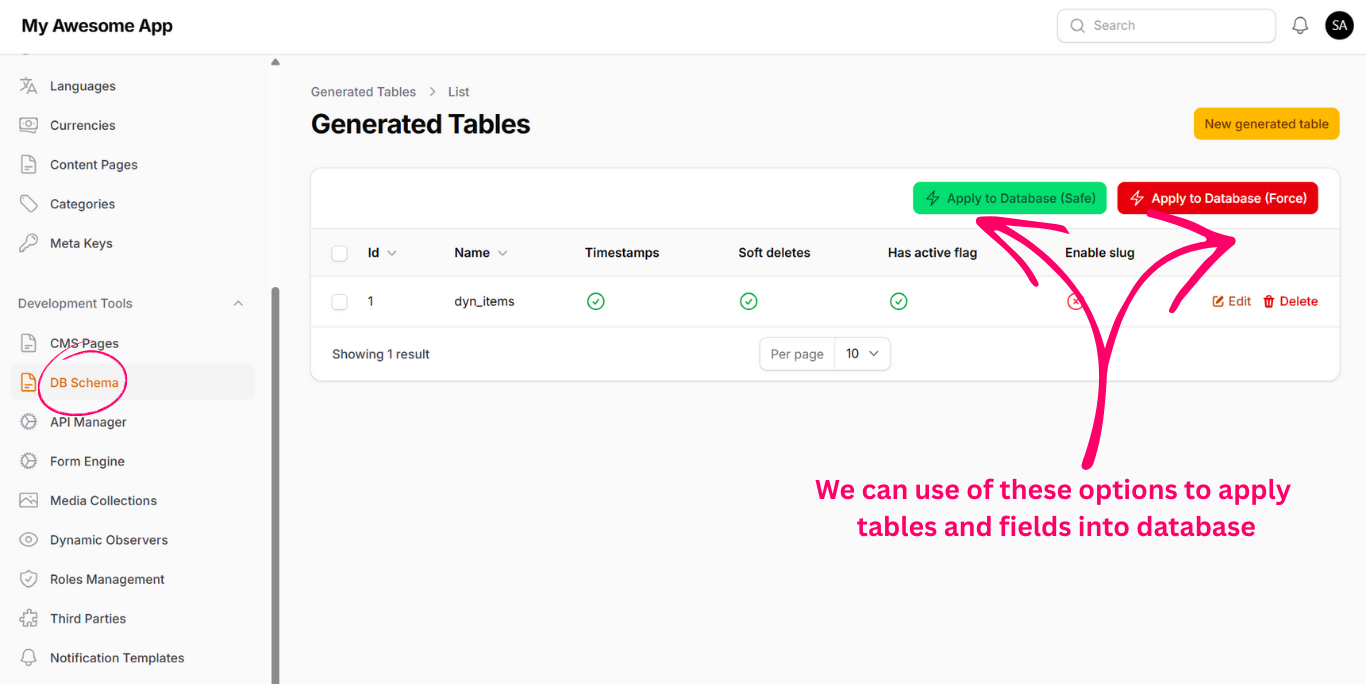
Once you finish defining tables and fields, you can apply the schema to the actual database.
-
Apply to Database (Safe)
Applies new tables and fields without physically deleting any existing database structures. Recommended for production environments. -
Apply to Database (Force)
Applies the schema exactly as defined, removing any deleted tables or fields from the database. Use only when you are certain no important data will be lost.
After applying the schema to the database, Sprintfy automatically generates model relations.
Any field defined as a foreign key will result in a corresponding relation being created automatically.
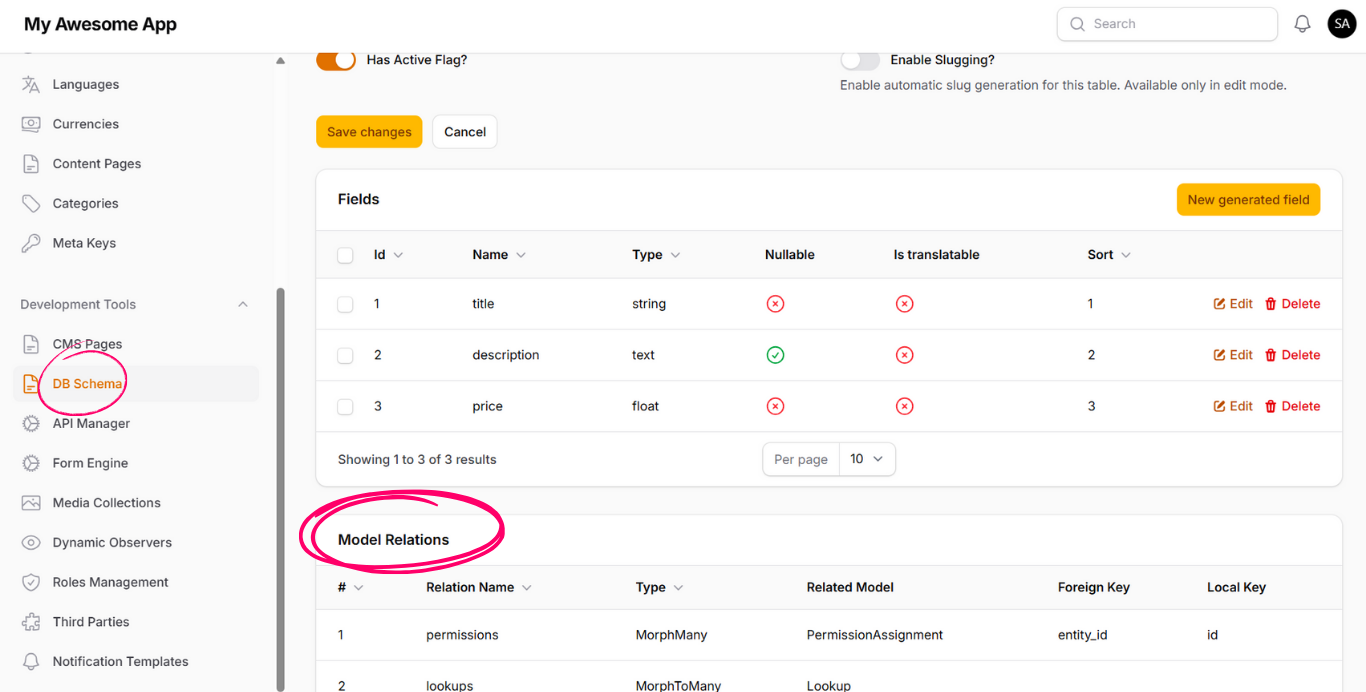
These relations become available immediately for use in:
- Dynamic APIs
- CMS Pages
- Dynamic Forms
- Observers & Automations