

Introduction
From the Production page, you can create and manage live productions dynamically using one of your existing projects.
A production represents a live, running version of your project. You can create multiple productions using the same project, which is especially useful if you need to publish white-label versions or separate live environments based on the same codebase.
Each production is deployed to a selected server and can have its own domain, administrator credentials, and deployment lifecycle.
Create a New Production
When you click on the "New Production" button, a form will appear allowing you to configure a new live production environment.
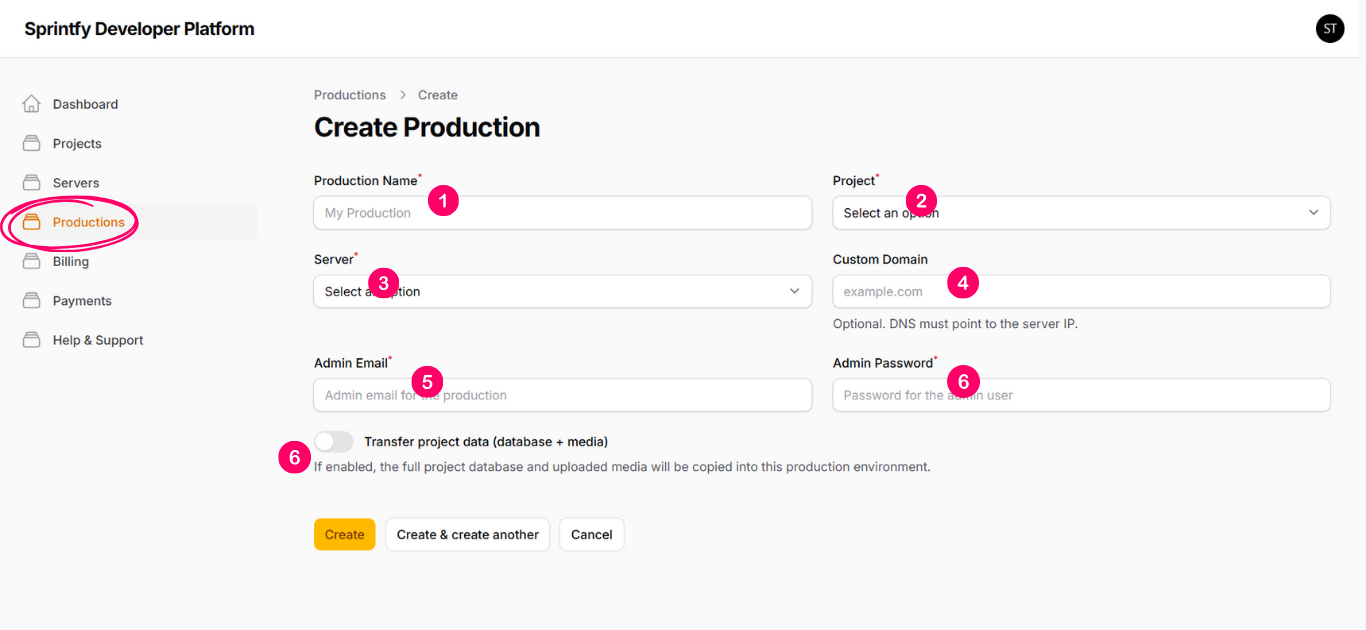
The form includes the following inputs:
1- Production Name
The name used to identify this live production.
2- Project
Select one of your projects to be used as the base for this production.
3- Server
Select one of your available servers on which this production will be published.
4- Custom Domain
Enter the domain name that you want to use for this production.
The system will also automatically generate a system domain, which allows you
to access and test the production before the custom domain is fully configured.
5- Admin Email
The email address that will be used for the production administrator account.
6- Admin Password
The password for the production administrator account.
7- Transfer Project Data (Database + Media)
If enabled, the full project database and all uploaded media files will be copied
into this production environment.
This data transfer will occur only during the first deployment. In subsequent deployments, only new changes and features will be deployed, ensuring that production data is preserved and not lost.
Production Details & Deployments
After submitting the production creation form, you will be redirected to the production view page.
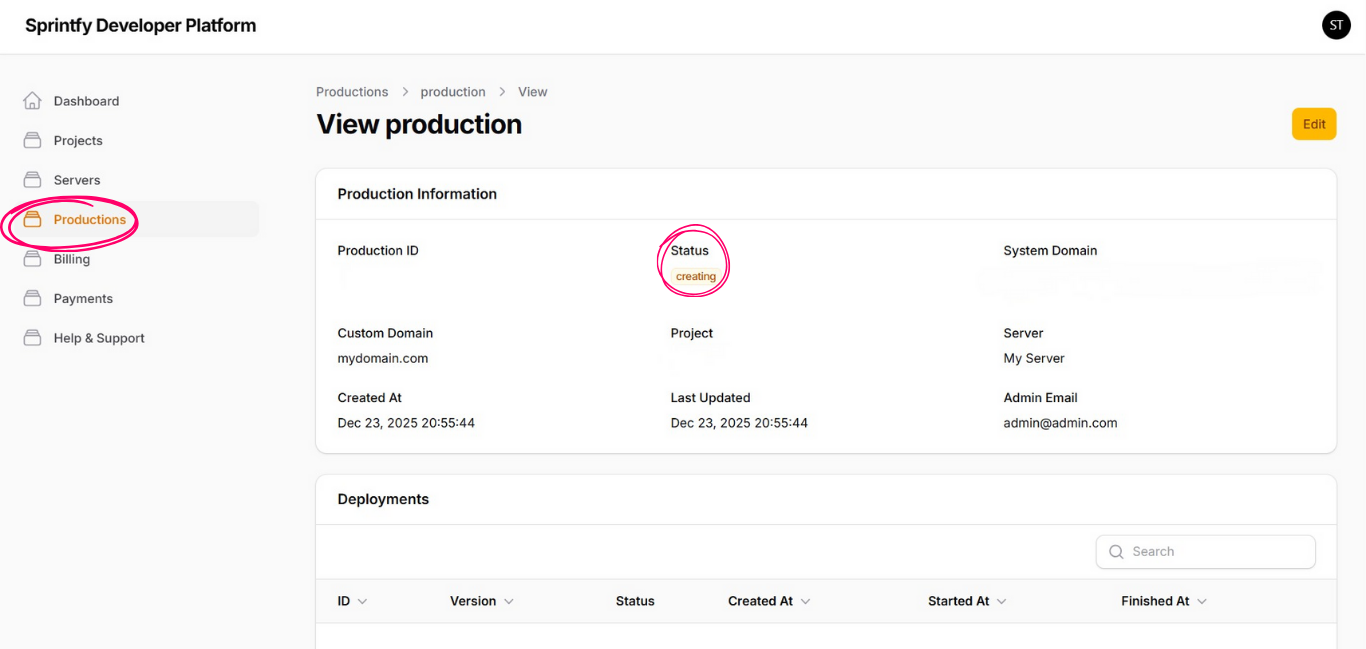
On this page, you will be able to see the production details, the system-generated domain, the custom domain (if provided), and the current production status.
From the production view page, you can also create and manage deployments, allowing you to publish new versions and updates to this production.