

Introduction
From this section you can manage the Roles on the system.
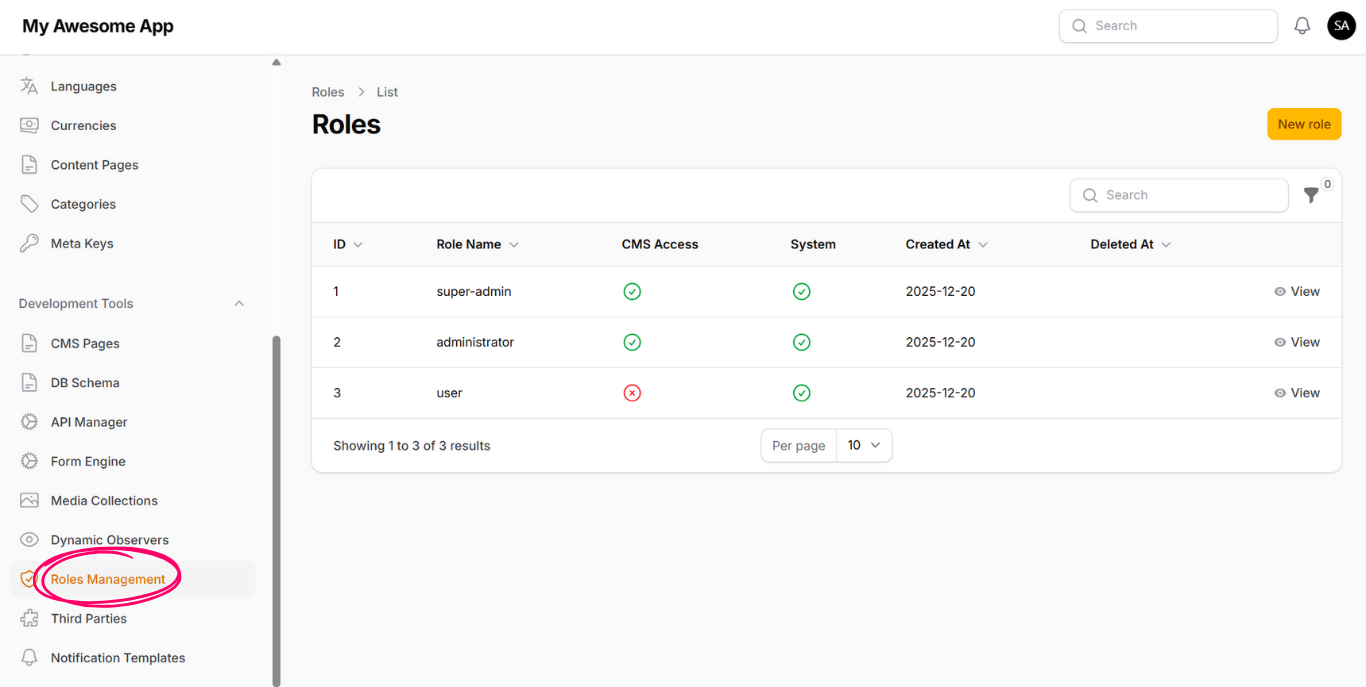
Create a New Role
If we click on new button, we will see the form to fill it out, then the new role will be available to use.
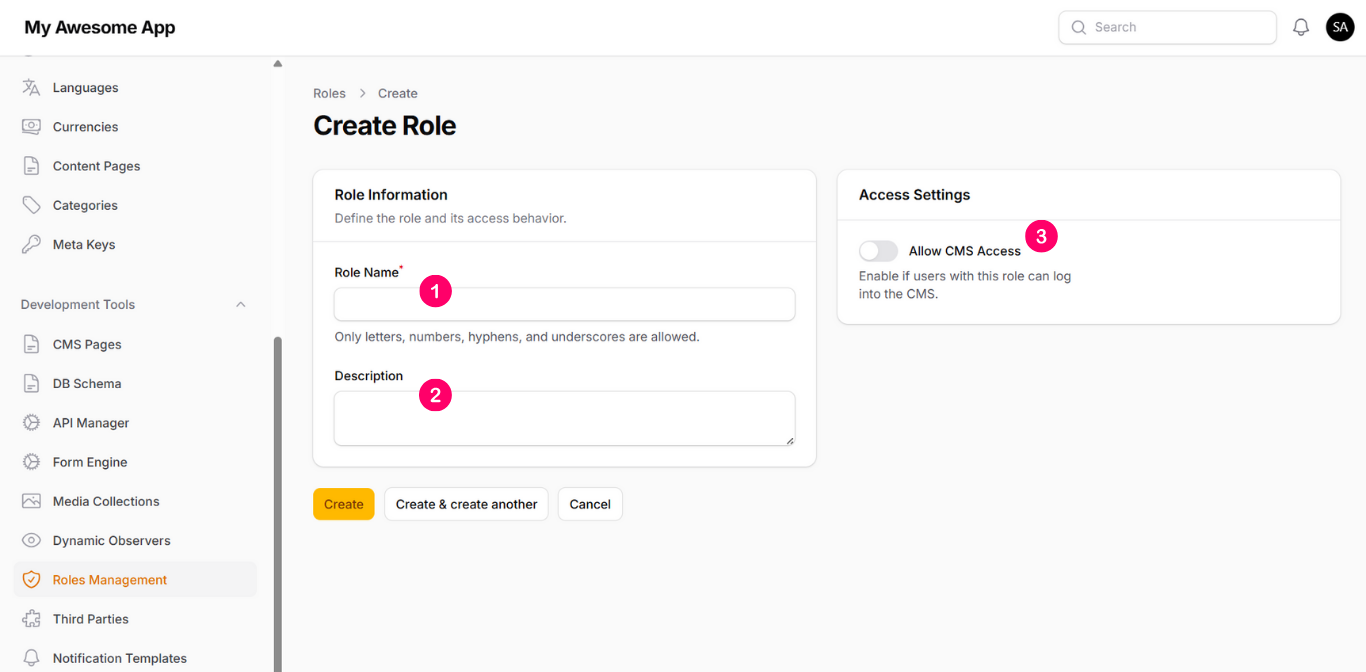
The inputs are as following:
1- Role Name
This name must be without whitespaces or special characters.
2- Description
This to describe the role.
3- Allow CMS Access
If enabled, this role will be able to access CMS.
Assign Permissions
After you create a new role, then you can assign permissions for it on CMS Pages or API Manager.