

Media Collections allow you to define how files are uploaded, stored, and associated with records in the system.
From this section, you can configure media collections that are later used in CMS Pages and the Upload Media API, without adding file fields to database tables.
Each media collection defines rules such as file type, size limits, file count limits, and thumbnail generation.
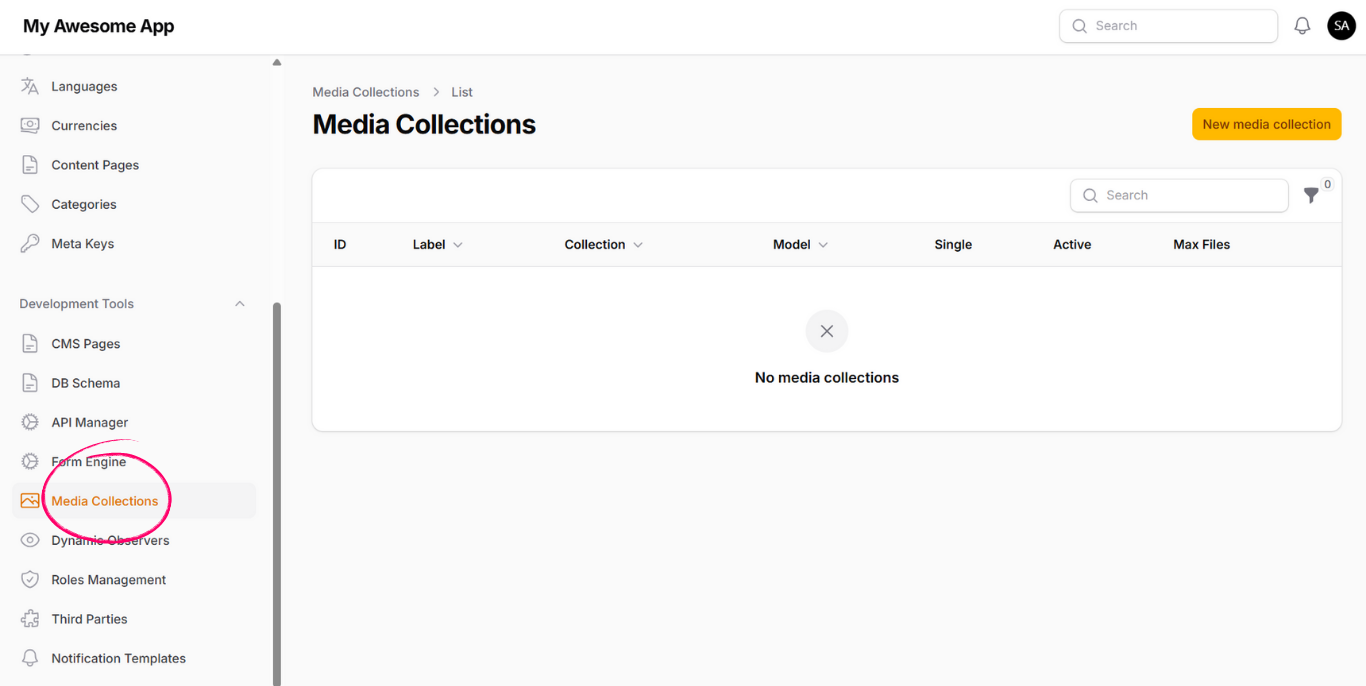
To create a new media collection, click on New Media Collection. You will be required to fill the following fields:
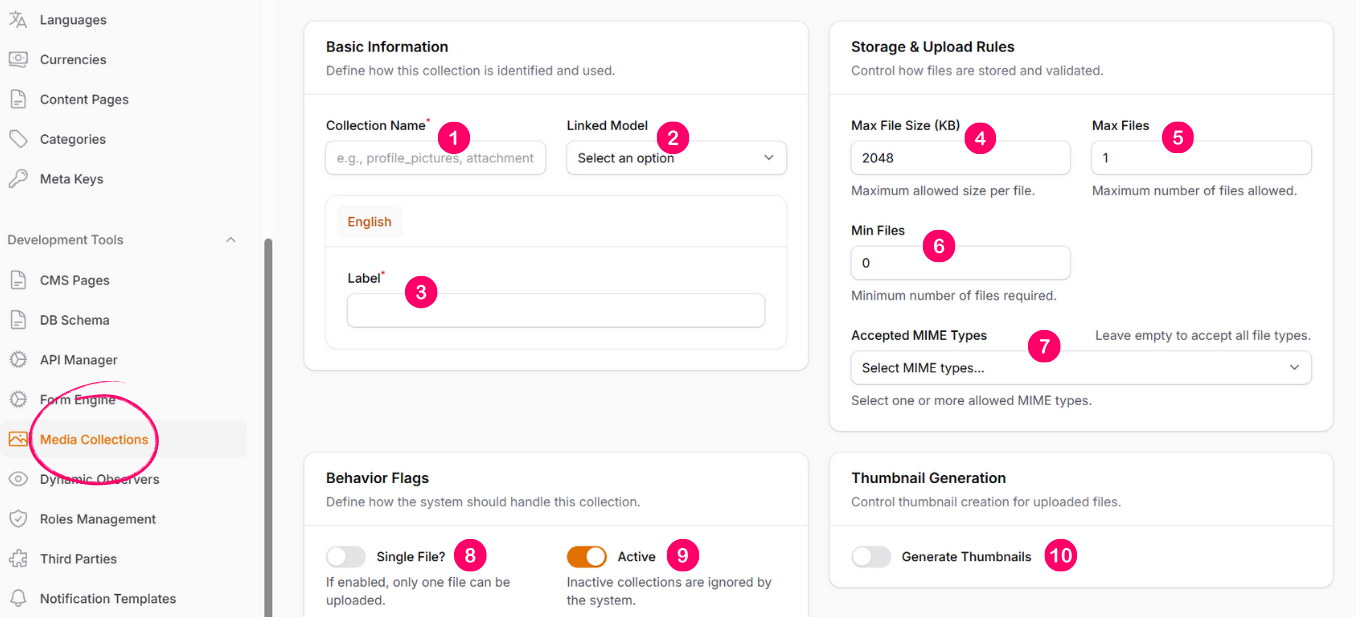
-
1. Collection Name
A unique identifier for the collection. Must not contain white spaces or special characters. -
2. Linked Model
Specifies which model this media collection belongs to. -
3. Label
Display label shown in CMS Pages when selecting or uploading media. -
4. Max File Size
Defines the maximum allowed size for a single file in this collection. -
5. Max Files
Defines the maximum number of files allowed per record. -
6. Min Files
Defines the minimum number of files required per record. -
7. Accepted MIME Types
Specifies which file types are allowed for upload in this collection. -
8. Single File?
When enabled, the collection accepts only one file. Uploading another file will overwrite the existing one. -
9. Active?
Controls whether the media collection is available for use. -
10. Generate Thumbnails
When enabled, a thumbnail is generated for uploaded images. You must specify:- Width (px)
- Height (px)
- Fit Mode
After a media collection is created, it can be used in multiple places across the system.
Using in CMS Pages
Media collections can be attached to CMS Pages as fields,
allowing administrators to upload and manage files directly from the CMS.
Using with Upload Media API
Media collections can also be used through the Upload Media API.
To upload files via API, you must provide the collection key
associated with the defined media collection.
This approach allows you to manage media files dynamically without modifying database schemas or writing custom upload logic.