

Introduction
From this section you can manage the notification templates. Notification templates define the structure and content of notifications that will be sent to users across the system.
Templates allow you to standardize notification messages while keeping them dynamic through the use of variables. This makes it possible to reuse the same template in different scenarios without rewriting notification logic.
Manage Notification Templates
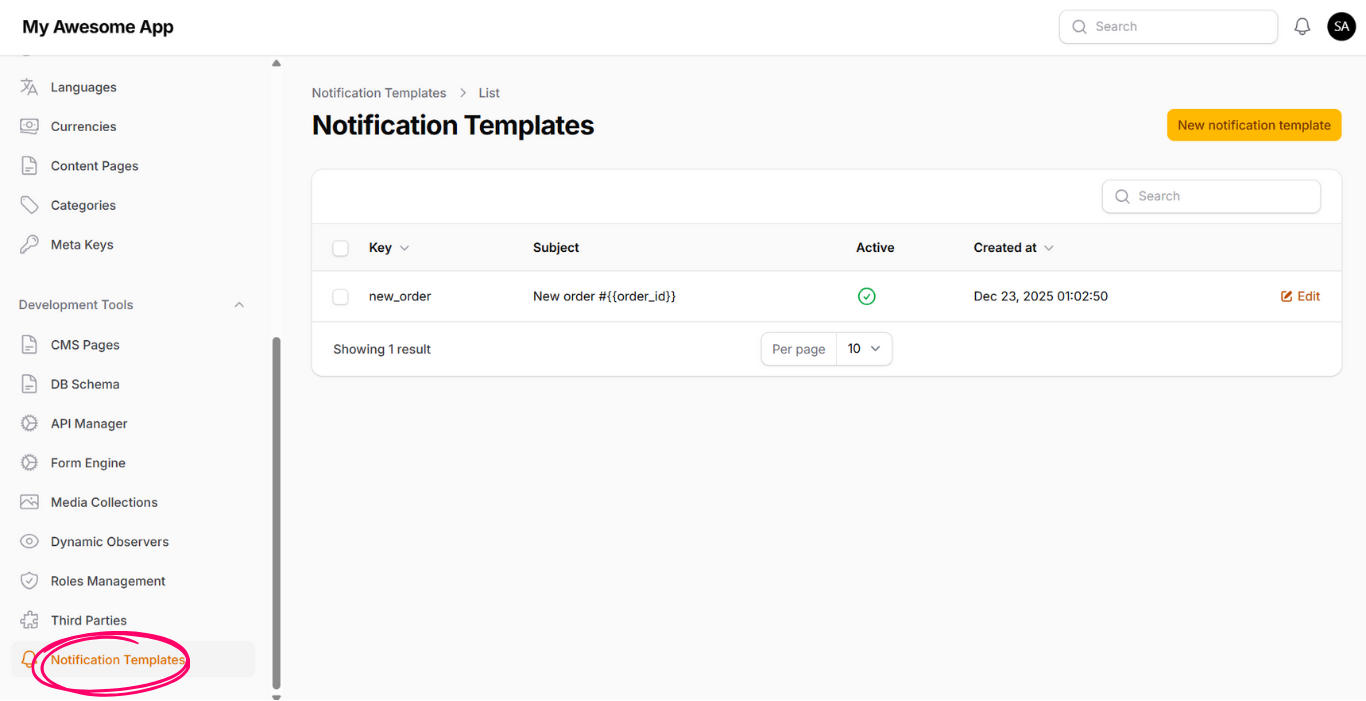
If we click on the page "Notification Templates" under development tools, you will can view and manager all defined templates.
From this page, you can review existing templates, update their content, enable or disable them, and create new templates based on your application needs.
Create Notification Template
At the right top of the page, you can see the button "New notification template". When you click on it, a form will appear with the following inputs:
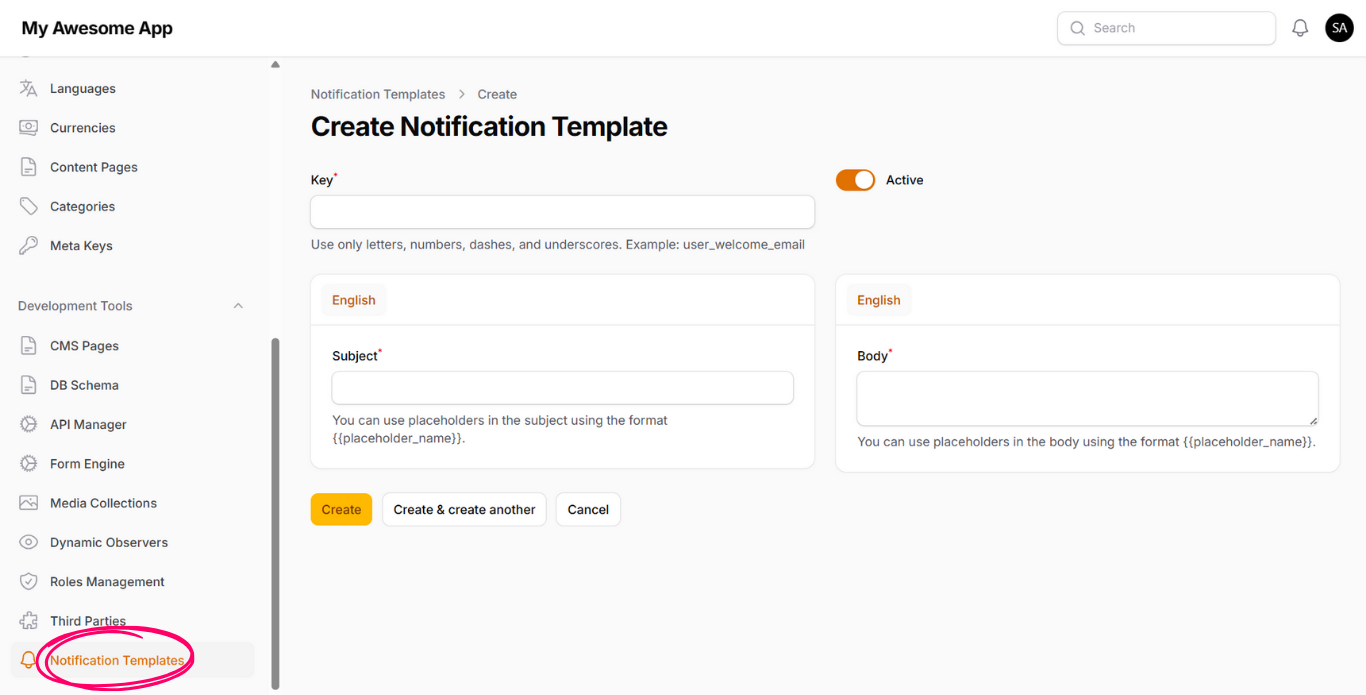
1- Key
The identifier of the template. This value must be without whitespaces
or special characters.
2- Active
If enabled, then the template will be available to use within the system.
Disabled templates will not be triggered even if referenced.
3- Subject
The title of the notification.
You can add variables using the format {{variable_name}}.
These variables will be replaced later with real values at runtime.
4- Body
The body of the notification.
Similar to the subject, you can include variables using
{{variable_name}} to make the content dynamic.
After you fill out the form and save it, the new notification template will be added to the system and become available for use.
Template Variables
The variables defined inside the Subject and Body of the template will be replaced by real values during runtime.
These values are provided when the template is used inside the "Dynamic Observers" feature, where variables are mapped to actual data coming from models, system values, or user context.
This approach allows you to keep notification content flexible while ensuring consistency across different notification flows.